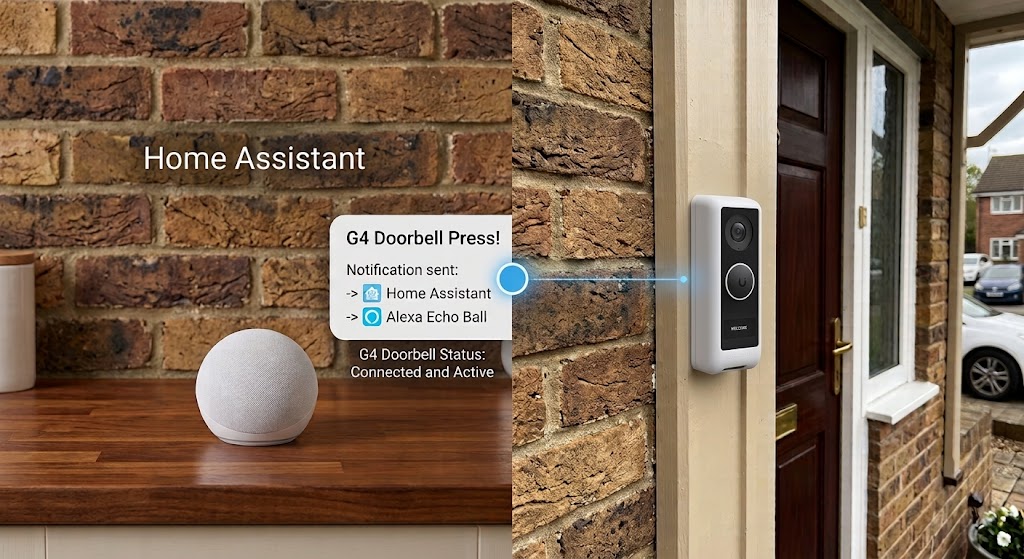
I’ve owned a G4 Doorbell for over 4 years now, and in the past 2 years I began to experience problems where it would randomly reboot. After researching and trying different things, I basically discovered that my mechanical chime would spike and brownout the doorbell (shared transformer rated for 16V30VA). I was also not willing to spend ~$70 for the UniFi digital chime.
If you search around for how to get your Amazon Echo speakers to chime when someone rings your UniFi G4 Doorbell, you’ll likely find a lot of outdated guides from 2021. Back then, you had to jump through hoops with custom webhooks, third-party integrations like alexa_media_player via HACS, and complex workarounds just to trigger a simple sound (or text to speech, which I didn’t need).
Thankfully, Home Assistant has matured immensely. With the latest native integrations, setting this up is cleaner, faster, and completely local. Here is the modern, high-level path to getting this working today (as of Sept 2026).
This guide assumes you have already setup Home Assistant, so I’m not going through any of that detail here. Additionally I assume you have something like Alexa Echos associated to your Amazon account.
1. The setup and UniFi Prep
For context, I am currently running a Home Assistant Container installation on the September 2026 release (Core: 2026.9.3, Frontend: 20260826.7).
Before touching Home Assistant, you need to prepare your UniFi environment. Log into your UniFi OS console and create a new Local User (no Ubiquiti cloud account needed). Give this user a secure password and grant it full permissions specifically for the UniFi Protect app. This local account is what Home Assistant will use to securely talk to your doorbell. Additionally go into UniFi Connections and generate (and copy) the API key you will also need.
2. Connect the Official Unifi Protect in HA
With your local user and API key ready, jump into Home Assistant.
- Navigate to Settings > Devices & Services.
- Click Add Integration and search for UniFi Protect.
- Enter the IP address of your UniFi console, along with the local username, password and API key you just created.
Once connected, Home Assistant will automatically pull in all your cameras and sensors, including the one we really want: your G4 Doorbell’s button press sensor (usually named something like binary_sensor.doorbell_doorbell).
3. Connect the Official Alexa Devices in HA
This is where the magic happens in 2026. We no longer need custom HACS repositories to send sounds to our Echo speakers (prior guides reference using Alexa Media Player or AMP). Then again that might still work if you want text-to-speech or more exotic things like Echo show (seeing who’s on the camera for instance are more advanced options which I don’t plan to use).
- In Home Assistant, go back to Settings > Devices & Services.
- Add the Alexa Devices integration.
- Note: Amazon requires 2-Step Verification via an Authenticator App (not SMS) for third-party connections. Make sure you have this enabled on your Amazon account first! Alternatively, what I did was go to my Amazon account, and while trying to do the integration requested a OTP token for a login, then just used that token (which I had texted to me), it authenticated and worked without me setting up another Auth app (will see how long this lasts tho, but it worked, and I was lazy).
- Log in with your Amazon credentials and your 2FA code.
Home Assistant will immediately import your Echo speakers as natively controllable devices.
4. The Automation (Making it Ring!)
Now we just need to tie the doorbell press to the Alexa chime.
One quick heads-up: Amazon’s API doesn’t allow pushing specific sound effects to virtual speaker groups like the “Everywhere” group. If you want the chime to play on multiple Echo devices, you simply list each device individually in your automation. Altho what’s interesting is, I experimented after I wrote the YAML, by using HA’s wizard and it selected “Everywhere” for me, which currently works, also the wizard lets you change the sound effects, so just experiment with what works.
Here is the exact YAML you can use to trigger the official Amazon doorbell chime on multiple Echo speakers. Just swap out my example device_id strings with your own Echo device IDs:
alias: Front Doorbell Chime Alert
description: G4 Doorbell Chime over multiple Alexa devices
mode: single
triggers:
  - trigger: state
    entity_id: binary_sensor.doorbell_doorbell
    to: 'on'
actions:
  - action: alexa_devices.send_sound
    data:
      device_id: first_echo_device_id_here
      sound: amzn_sfx_doorbell_chime_01
  - action: alexa_devices.send_sound
    data:
      device_id: second_echo_device_id_here
      sound: amzn_sfx_doorbell_chime_01
  - action: alexa_devices.send_sound
    data:
      device_id: third_echo_device_id_here
      sound: amzn_sfx_doorbell_chime_01
That’s it! Save the automation, go press your G4 doorbell, and your Echo devices will instantly chime. No cloud subscriptions or hacky workarounds required.
Additionally I’m experimenting with setting up statistics for tracking all the doorbell presses using HA, but that might be for another guide, just a cool way to track how many times your bell get’s rung.