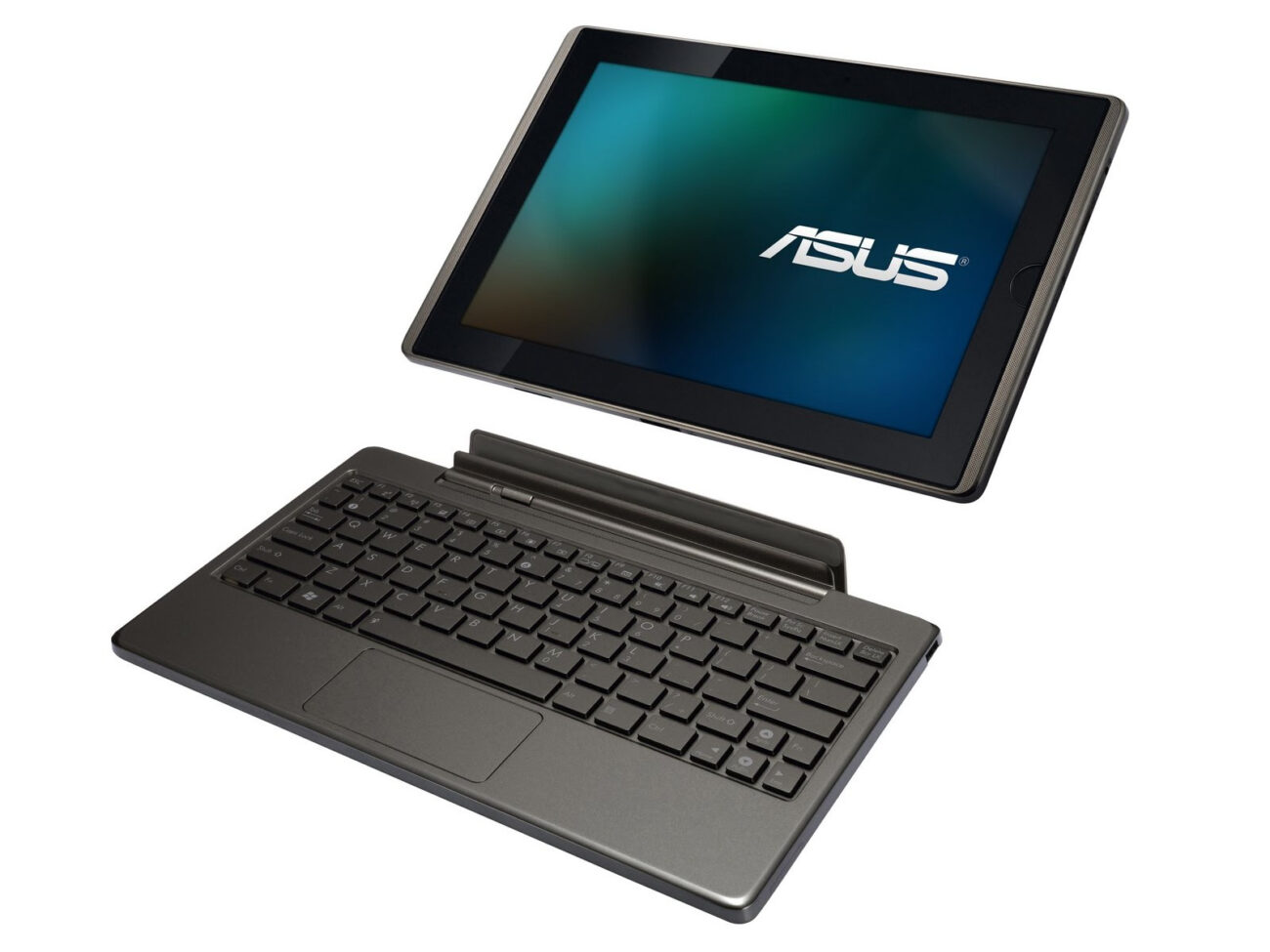
So I’ve had the ASUS EeePad Transformer TF101 for almost 2 years now, and have been pretty happy with it, but it has gotten quite laggy and the input is always delayed. It could be a cause of the number of apps installed over that period of time, or simply that I’m used to using ‘faster’ tablets (work etc;).
I decided then to liberate my ASUS TF101 from it’s stock locked (no longer supported by ASUS 4.0.3 ICS rom). Some googling quickly got me plenty confused, as the content is “ancient” (in technical terms) from 2010/2011/2012. But I happened to find a starting point for a one-click root/recovery flash:
http://forum.xda-developers.com/showthread.php?t=1681155
I grabbed:
V0.42- TwrpyIndri Cutting Edge – 14.15MB
Version 0.42 — Recommended (TWRP 2.5.0.0)
And simply proceeded through the guide, plug in tablet, make sure USB debugging is enabled (had that already). Then just run the .bat file from the package under CMD in administrator mode (this is all for Windows 7).
The install is guided, and pretty much “one click”, you traverse their interactive menu by hitting Y/N as choice options. I was able to pull this off without any problems, and my heartrate didn’t even spike and there was no wringing or fingers.
Once that was done, I went ahead and reviewed the notes for the KitKat guide & downloaded the right roms:
http://forum.xda-developers.com/showthread.php?t=2592890
It really went very smoothly, in this order:
- Download necessary Android ROMs + One-click root
- Download latest Gapps Package (for google play store and google apps)
- One-click the TF101, backup stock rom to microSD
- Using TWRP (from one-click) Factory Reset
- TWRP > Format
- Install zips (ROMs off microSD, including gapps after kitkat)
Hope it goes smoothly for you! If I can help with any questions, let me know. The ASUS TF101 KK 4.4.2 has been running beautifully since the flash. Much smoother and more responsive than what I got out of stock ICS 4.0.3.
—
Update 02/09/2014
After running KitKat since the 02/02/2014, I can state that I’ve installed many of the apps I’ve used before on ICS and none have had crashes or issues. The tablet response is smooooooth and well worth the fuss to update from stock ASUS firmware. If you have a TF101, this will breathe new life into an ‘older’ device.
Update 03/11/2014
A few people seem to be confused about gapps and needing to install that rom. ALL 3rd party Android ROMs are without google apps, it is a licensing issue that prohibits combined distribution. So you need to install them yourself using the additional rom. It’s easy to do, just install the gapps rom after you install kitkat.
Finally got it to work, i was rushing things and didn’t wait for the TF101 to fully reboot and my pc to recognize it first before the last couple steps. the two dls, the katkiss 4.4.4 and the twrp worked perfectly together. it did all the work even back up the games i had somehow. i didn’t do a thing but run the twrp extracted zip and ran the exe as admin in cmd and follow the steps. you have to wait till the tf101 to reboot totally after 2-3 steps near the end of twrp, after that is all about rebooting with vol down and vol up and using the blue load screen to install katkiss, then again to load gaap.
For those having problems with your pc NOT detecting the TF101 its prob cause on the tablet you didn’t turn ON the developers tab, its in settings. turn that on and then twrp should see it fine.
@toseba: have you figured out the problem with Skype?
Has anyone tested if the new android version works well with the keyboard dock?
Woowww.. My TF is rocking now. Can’t believe that the OS upgrade made it so wonderful. Hats off to this post.
For anyone having Skype issue, someone from this thread
http://forum.xda-developers.com/showthread.php?t=2592890
says,
Skype Calling
Version 5.x broke calling support.
If you need calls, you have to use an older version like 4.9.0.45564
http://skype.en.uptodown.com/android/old
This worked for me.
Anyone who is curious to know, my keyboard dock worked like a gem! Thanks again.
it works grate lasts about 16 hours on the battery.
tanx jakub
I used Windows 8.1 to run one-click, the one-click ran smoothly until it tried to root my TF101, the process stuck right at the rooting, there was nothing proceeding at the cmd screen. Do you have any idea? I know this is for Win 7, but I have Win 8.1 only
As a total noob who gets flummoxed over the easiest of tasks I have to say I am proud that I was able to bring my TF back to life with this upgrade. THANKS!
For other noobs who read Jakub’s fix and sat there saying “bat file?” and “flash rom?” I feel your pain. I came to this page after searching for “TF101 painfully slow”. I have 0 computer understanding or ability.
Easy Peasy…
1. Just download Kat Kiss and GAPPS files to your TF from Jakubs link.
2. Fire up your PC and download the one click (from Jakub’s first hyperlink above) to your desktop.
3. Hook up your TF to your PC
4. Open one click and find the file with the suffix .bat
and click it.
5. Just follow the steps and wait for each screen to boot.
6. When it asks to do the superuser thingy just click yes and proceed.
7. From the recovery screen make sure you wipe everything on your TF except the SD card.
8. STILL ON THE RECOVERY SCREEN click install and select kat kiss and GAPPS.
9. Click reboot and rejoice!
Hopefully this helps those that have some trouble with even the most basic computer speak.
Oh yeah, my nearly dead TF is as fast as it was on the day I bought it.
Many thanks Jakub!
My old TF101 is working like a charm again!
Hi,
I have performed the steps as best I could. I am now in a situation, when, having tried to reboot, the system is stuck at the EEPad boot screen. Initially, the boot screen with the blue line came up, but was then replaced with the non blue line screen.
what does “plug it in” mean ?
Thank you guys for the wonderful updates. I have the asus TF 101 for few years now, I’m dying to update it. I can’t do it myself. Can someone help me in a simplified stepwise manner? Thanks
Hi Micheal & Jakub…try to follow all the step and last reboot show android is optimizing…but when it open, the version still 4.0.3…pls assist
Hi,
Just wanted to say I followed your instructions and WOW, my tablet has never been this quick. The only issue I had was trying to get into recovery mode with a dodgy volume button.
Anyway I persevered and got it working.
I was planning on replacing this tablet but now I don’t need to.
Thanks for your help!
Mark
Hi,
Thanks for sharing this. I installed it (KK 4.4.4) on TF101 and it works very well.
Only I have a problem, the image of the rear camera looks and record inverted (photo and video). Has anyone encountered this problem?
Thanks for your help!
Jordi
Good God this was the best rooting experience I have ever had. I followed the directions on this page. The person who wrote that .bat file should receive the Nobel Prize and the person who wrote this page should share it.
Just updated my TF101 to KK 4.4.4.
Now i cant connect to my wifi router???
The TF101 sees nearby routers except my own (dlink 868).
Tried tru WPS but no go!
Anybody knows whats happening here?
I have/had stock 4.0 on my TF-101, I say had because my tablet will not boot at all! I can call up the wipe screen with volume down and power. So the question is this, if I follow your instructions for installing 4.4.4 will it work on a wiped unit?
Thanks in advanced.
Bart
I cannot seem to make this work, my system is rooted so I press r then go through until it reboots then the bat file shows permission “denied /dev/block/mmcblk0p4: cannot open for write” I an taking as meaning I need to su something what do I need to do?
ok strange I got it to work 🙂
I’m a bit concerned about the skype thing and having to go to an older version, I use this often
Jakub thanks for the great post and thanks to all for the helpful comments…
I followed the tutorial and got hung up at the point when you need to go into recover mode – I keep getting the dead android man laying face up with the red exclamation point above him…any ideas?
Running on Windows Vista…not sure if that matters?
Thanks Again
I have/had a TF101A with KatKrap 4.4.4 on it and took the damn thing off to reinstall ICS 4.03! KK 4.4.4 is an abortion, any version of Skype 5.x won’t work on it, you have to run an old version to make any calls and than you have none of the nice new features. Also GPS doesn’t work at all, no GPS app of any kind will secure satellite link or lock. The developer TimDuru is a real dick, he’s arrogant, rude and offers no help for those newer to Custom ROMs and he’s abandoned KK4.4.4 with these and other bugs in KK, to work on other projects. KatKrap 4.4.4 is now Orphanware and KK 5.x has even more bugs like non-functional BlueTooth.
If you want to “refresh” your TF101 to run fast and clean, go ahead and root it with TWRP tool, but only to do a DEEP DEEP cleaning by:
Go to Wipe/Advanced, select dalvik and cash and wipe those
Then go to the Format submenu, select system and data and format those.
Do NOT reboot in between
Do NOT interrupt the formatting – it can take 90 minutes on data.
Then flash the stock ICS 4.03 Rom from the microSD.
(as a very wise TF101 Rescue helper on the Transformer Forum taught me)
Another tip to speed up and make more stable is to “Disable” most of the Google CrapWare like Google+, Newstand, etc in the Applications. Most of the Google Crapware runs all the time and are RAM pigs. Google has turned into CrApple.
I just installed KitKat on my TF101 by following these instructions and it worked well. It was a very easy install. KitKat seems to be quite zippier then the stock OS. My only issue is that the sound quality seems to have gone down. Anyone else experience this and know if there is a way to fix it?
Hey, I just managed to install KatKiss 4.4.3 without any issues.
Wondering if anyone has had any luck installing Windows on TF101. Asus sells the T100, wondering, why this one wont be able to support windows as well.
I dont think that work
The only problem I am having is after installing new apps like my DJI Vison app for my Quadcopter, it crashes. Not my quadcopter…..my tablet. haha
It seems that any apps I try using after downloading from Google Play, most of them say “Sorry, not working” or something like that.
Thanks for the great guide and files.
This was my first root. Took me about a week. Lots of thrills and a couple of days where I was sure I had transformed it into a brick. We have both survived. Looks good.
A couple of things I learned were:
make sure the tablet is not set to appear as a media device. Had to set it “as a camera”.
The sd card mentioned is not your external MicroSD. It is part of the internal storage. Don’t delete that! You won’t have access to the MicroSD card after the format 🙂
To “boot to recovery” Hold volume down button in while you turn on the power, watch the upper left corner of the screen and press the volume up button when the little letters show up.
There is more. Ill try to post it on my website soon.
Thanks again.
Amgeek
I want to thank the author of this post for inspiring me to give my TF101 new life. My old transformer is faster, OS runs perfect. Before I tried this I wanted to sell my TF101, but you won’t sell it at a good price, and it’s such a great tablet, the keyboard with integrated battery, 2 USB ports, HDMI out, SD card and Micro SD ports, well this kind of harware deserves that you give a shot at upgrading its OS. Don’t worry, take the risk, if you mess up (turning your tablet into a nice paperweight) there’s a way to bring it back to life (search for the EasyFlasher Unbrick tool exclusively for TF101) and try again. It happened to me, lol, and I reinstalled the KitKat OS from EasyFlasher and everything went ok. There’s also a very useful tip, cause installing Android 4.4.4 will cause your system to set the speakers and heaphone volume very very low. You can fix this by instaling the K.A.T. Kat Android Toolbox. Believe me, your old TF101 will finally work as it was supposed to. It’s a shame Asus forgot about this model so soon leaving us TF01 users lost in space, but thank God for the programmers, hackers and bloggers who made an excellent and easy upgrade happen. If you’re about to follow this guide take your time to follow every step and remember this: If you mess up, EasyFlasher, APX drivers and entering APX mode (Power button + Volume up while hooked to your PC) will save your life. Long live the TF101.
PS. I managed to get my external microSD recognized by formatting it in my PC to the default FAT 32 (fast format), then copied only the zip files in it. Insert the microSD and reboot and enter Recovery mode again.
My brick with KatKiss is stuck with “google stopped working”. Is there a place that can fix it ? Or is there a way to delete google while stuck ?
Bill in Palm Springs CA
My asus tf101 failed to intering download mode ..
Im traying alot e of ways to installing room but i cant
Please hilp me .. my asus software is to old ..
I have TF101 also and just about to put it up for sales. The only reason I am selling is because whenever I play a movie and left it, the sound will also disappear. The only way to bring the sound back is to shut it down and restart. Does anyone has the same problem with the original TF101? I am running the 4.0.3 which slows the tablet down. If I upgrade as instructed, will it solve my issue and perhaps makes it faster?