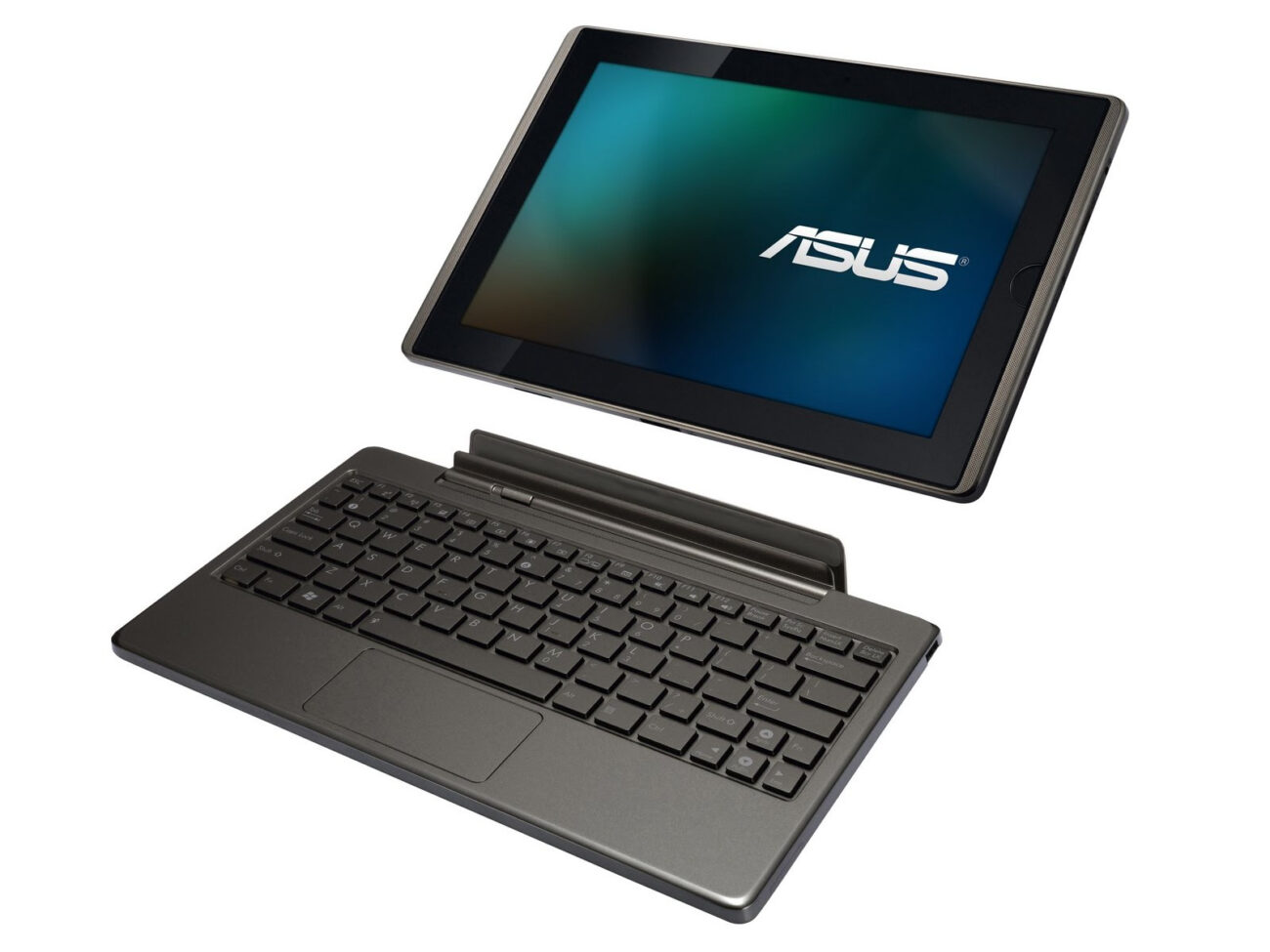
So I’ve had the ASUS EeePad Transformer TF101 for almost 2 years now, and have been pretty happy with it, but it has gotten quite laggy and the input is always delayed. It could be a cause of the number of apps installed over that period of time, or simply that I’m used to using ‘faster’ tablets (work etc;).
I decided then to liberate my ASUS TF101 from it’s stock locked (no longer supported by ASUS 4.0.3 ICS rom). Some googling quickly got me plenty confused, as the content is “ancient” (in technical terms) from 2010/2011/2012. But I happened to find a starting point for a one-click root/recovery flash:
http://forum.xda-developers.com/showthread.php?t=1681155
I grabbed:
V0.42- TwrpyIndri Cutting Edge – 14.15MB
Version 0.42 — Recommended (TWRP 2.5.0.0)
And simply proceeded through the guide, plug in tablet, make sure USB debugging is enabled (had that already). Then just run the .bat file from the package under CMD in administrator mode (this is all for Windows 7).
The install is guided, and pretty much “one click”, you traverse their interactive menu by hitting Y/N as choice options. I was able to pull this off without any problems, and my heartrate didn’t even spike and there was no wringing or fingers.
Once that was done, I went ahead and reviewed the notes for the KitKat guide & downloaded the right roms:
http://forum.xda-developers.com/showthread.php?t=2592890
It really went very smoothly, in this order:
- Download necessary Android ROMs + One-click root
- Download latest Gapps Package (for google play store and google apps)
- One-click the TF101, backup stock rom to microSD
- Using TWRP (from one-click) Factory Reset
- TWRP > Format
- Install zips (ROMs off microSD, including gapps after kitkat)
Hope it goes smoothly for you! If I can help with any questions, let me know. The ASUS TF101 KK 4.4.2 has been running beautifully since the flash. Much smoother and more responsive than what I got out of stock ICS 4.0.3.
—
Update 02/09/2014
After running KitKat since the 02/02/2014, I can state that I’ve installed many of the apps I’ve used before on ICS and none have had crashes or issues. The tablet response is smooooooth and well worth the fuss to update from stock ASUS firmware. If you have a TF101, this will breathe new life into an ‘older’ device.
Update 03/11/2014
A few people seem to be confused about gapps and needing to install that rom. ALL 3rd party Android ROMs are without google apps, it is a licensing issue that prohibits combined distribution. So you need to install them yourself using the additional rom. It’s easy to do, just install the gapps rom after you install kitkat.
Hey there, I’m curious as to whether or not you’ve kept your TF101 with kitkat installed on it? Still runs smooth and stable? I’ve a TF101 as well and been bugged by how it has gotten slow overtime to a point i can barely stand it. did you end up flashing it with another rom or is the one linked here the on you still use?
Stephane, If you notice I *JUST* posted this, and am still using KitKat as of Feb 2nd…
The release has been very stable and I have no regrets with the update. New life in the TF101.
lol, somehow my head didn’t register the date, i was googling around for info on kitkat and the TF and most forums threads and blogs had a last activity date of about two-three weeks.
thanks for the info, I’ll flash my TF this weekend with the directions you gave here. will let you know if it turns out different for me
I installed it… However I do not see Google play… Nor do I see where to install apps
It’s right in the guide, you must not have followed it -> “Latest Gapps Package” is one of the zips you have to install, this is standard install for any non Google os installs due to licensing restrictions on the gapps.
Thanks for sharing this. I installed it and it works very well. As a suggestion, you might to specify which files to download i.e. KatKiss-4.4.2_022.zip, gapps-KatKiss-4.4.2_20140221b.zip I was stumped for a while since I didn’t install the gapps. I came back over to your page and read your response to Russ comments and resolved the issue.
Thanks and drumrolls also from my side! It worked perfectly for me. After reading in so many googled articles which didn’t help, yours was great and strigth forward. My (small) confusion was with what I have to download. Your first item states “Download necessary Android ROMs + One-click root” I only downloaded one file (the rom) plus the gapps and this was enough.
My TF101 works fine. First thing I tried is the multiuser feature of Kitkat, since the whole family uses the tablet. Five stars to this feature as well!
@willswing77:disqus one thing I can note that I am not sure on is that Netflix crashes. I’m not sure if this is a KitKat OS issue or just for me running this ROM. Can you confirm if Netflix works for you?
I am seeing crashing (regular) with Netflix app. Can you confirm if you’ve done your install? Curious if it is just me.
Yup. I confirm. It is frequent enough that i stopped trying to use it. I haven’t tried to fix it either because I do not really need it on my tablet.
Sorry, I do not use Netflix. It is not available in Switzerland either. So I can’t tell.
Netflix fix:
http://forum.xda-developers.com/showthread.php?t=2101525
I copied the roms/zips to the internal storage, which was pretty stoopid, since step one was to wipe the internal storage. After some hustle with getting stuff on a micro SD, I got things running.
After many problems with the install all caused by my lack of understanding of what I was doing, I got 4.4.2 working. It is in every way much better than 4.03, no more disappearing icons and everything faster and smoother.
Thank to all that made this available.
Which version should I download? Or do I download all of them?
Latest Dev Version:KatKiss-4.4.2_025.zip | Mirror1 | Mirror2
Latest Stable Version: KatKiss-4.4.2_023c.zip
Latest NonLinaro Version: KatKiss-4.4.2_024-NonLinaro.zip
I’d go with the stable build, unless you want “bleeding edge”. Otherwise research what “nonlinaro” means, as I’m not sure.
Thank you, Jakub! Sorry to bother you, but could you please explain in the simplest form for a noob like me. I am really confuse about “Then just run the .bat file from the package under CMD in administrator mode”
just dont get it—not experienced…dont get it
Umm okay…
It’s just wonderful !!! Many thanks for your work !
Hi,
Just wanted to say thanks…I am not at all at ease doing those upgrades…but I wanted a specific app to able to run on my Asus eee pad etc…so, I started the journey to upgrade it. IT worked ! I was so happy…and a bit proud of myself ! My tablet is so fast…and …I can now read my LaPresse+ on it !
thansk so much !
yyxtine2
Tried KatKiss (current 4.4.4 Version) and have to say I am quite disappointed. Regular crashes, drawing errors. Especially with SmartLaucher and Astro File Manager. I think interprocess communication is broken. While at the same time it has functions I don’t need like multi- and floating-windows. Which are incidentally are precisely the add ons which could break interprocess communication.
Anybody knows of any true AOSP rom, one without any extras what-however, for the TF101?
Installed today because my lovely tf101 tab was so slow … and it’s fantastic. it speed like a galaxy tab 3 ! I use KatKiss-KitKat ROM – Android 4.4.4.
to install, just follow the tuto it’s easy.
Worked a treat for me and has given my TF101 a new lease of life – thank you
Still works like a charm!
Thanks a lot.
Hi ak, I just did it, in the beginning I was puzzled too, but in the end makes all sense. Still looking to upgrade? let me know if you need some help. Cheers!
Upgraded two TF101’s today. First took an hour – second about twenty minutes.
Thanks for the pointers although I did have to look elsewhere too!
One thing to note is that you must allow tab to fully reboot each time or nothing installs correctly!
It’s all good here!
Thanks a lot for this little guide! I’m shocked at how well 4.4.4 performs on this old tablet.
Wow! Thanks for this guide, My Transformer has been sitting unused (and sad) for months because its been running soooo slow. I’ve been wanting to update it but did not know how and didnt want to brick it. Your instructions were clear and the process was virtually painless. It feels like I have a new Transformer! Thanks to all the great folk that did the hard work to bring us the updated roms. 3 Cheers!
Hey.. Thanks for this guide.. Was absolutely brilliant.. I was thinking about replacing my TF101 with a newer tab but this will do for now..
One question though.. Do I need to keep USB debugging on after installing??
Many many thanks..
Hi,
Your ROM is very fast, uou give a new life for my TF101!!
I need just 2 problems:
– Skype doesn t work, you can not make a call or video
– with multi flow, i can not return to a normal mode, my screen keep on the left side and the right is black, waiting a new window. I try to use the button but nothing .
Please have you a solution for Skype?
Hey,
I’ve been trying to get my Asus TF101 rooted relying on the method which you described, however when I run the .BAT file, it never can find my device to actually run against. Interestingly enough, when I attempt to list the devices running “adb devices” in a separate command console, I am able to get the device listed. At one time, the device was listed under the listing displayed from the .BAT file, but it was indicated as “Offline”. After discovering this, I tested the ADB command mentioned above again to which it did not display the device as offline… Do you have any suggestions for the .BAT file to detect my device?
Is ant difference with play HD videos or still problems?
Can see the device after the first detection and bat run, then it could not detect it for the remaining process. please help
want to update my tf101 from 4.0.3 to 4.4
I’m completely stuck on how to back up the 4.0.3 to the micro SD card. Could you please explain exactly how to do this, every site says just do it but I can’t see it at all. Thanks