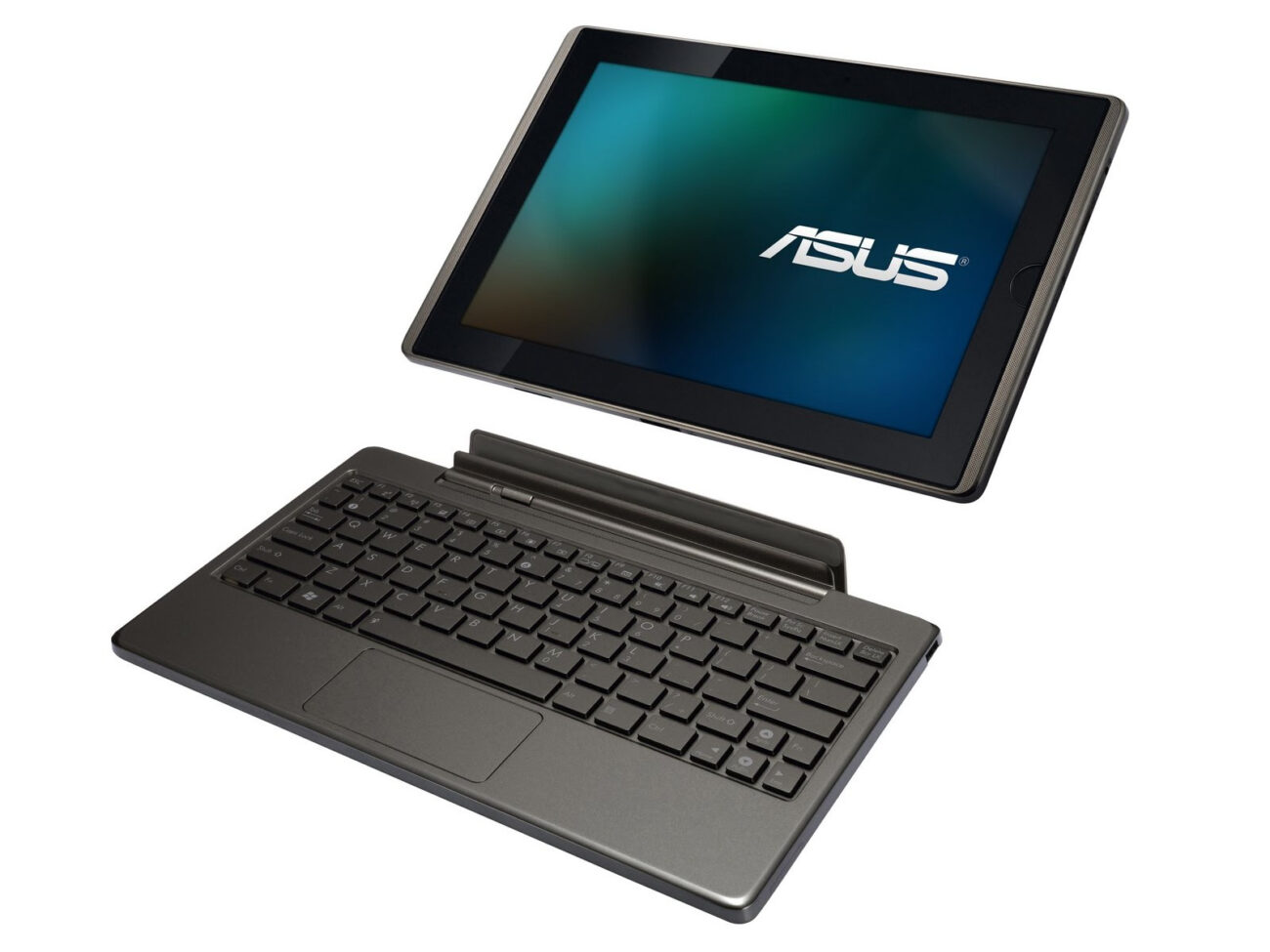
So I’ve had the ASUS EeePad Transformer TF101 for almost 2 years now, and have been pretty happy with it, but it has gotten quite laggy and the input is always delayed. It could be a cause of the number of apps installed over that period of time, or simply that I’m used to using ‘faster’ tablets (work etc;).
I decided then to liberate my ASUS TF101 from it’s stock locked (no longer supported by ASUS 4.0.3 ICS rom). Some googling quickly got me plenty confused, as the content is “ancient” (in technical terms) from 2010/2011/2012. But I happened to find a starting point for a one-click root/recovery flash:
http://forum.xda-developers.com/showthread.php?t=1681155
I grabbed:
V0.42- TwrpyIndri Cutting Edge – 14.15MB
Version 0.42 — Recommended (TWRP 2.5.0.0)
And simply proceeded through the guide, plug in tablet, make sure USB debugging is enabled (had that already). Then just run the .bat file from the package under CMD in administrator mode (this is all for Windows 7).
The install is guided, and pretty much “one click”, you traverse their interactive menu by hitting Y/N as choice options. I was able to pull this off without any problems, and my heartrate didn’t even spike and there was no wringing or fingers.
Once that was done, I went ahead and reviewed the notes for the KitKat guide & downloaded the right roms:
http://forum.xda-developers.com/showthread.php?t=2592890
It really went very smoothly, in this order:
- Download necessary Android ROMs + One-click root
- Download latest Gapps Package (for google play store and google apps)
- One-click the TF101, backup stock rom to microSD
- Using TWRP (from one-click) Factory Reset
- TWRP > Format
- Install zips (ROMs off microSD, including gapps after kitkat)
Hope it goes smoothly for you! If I can help with any questions, let me know. The ASUS TF101 KK 4.4.2 has been running beautifully since the flash. Much smoother and more responsive than what I got out of stock ICS 4.0.3.
—
Update 02/09/2014
After running KitKat since the 02/02/2014, I can state that I’ve installed many of the apps I’ve used before on ICS and none have had crashes or issues. The tablet response is smooooooth and well worth the fuss to update from stock ASUS firmware. If you have a TF101, this will breathe new life into an ‘older’ device.
Update 03/11/2014
A few people seem to be confused about gapps and needing to install that rom. ALL 3rd party Android ROMs are without google apps, it is a licensing issue that prohibits combined distribution. So you need to install them yourself using the additional rom. It’s easy to do, just install the gapps rom after you install kitkat.
The KatKiss at
http://forum.xda-developers.com/showthread.php?t=2592890
suggested using TWRP 2.8.1.1 from
http://forum.xda-developers.com/showthread.php?t=2434422
which is different from the v0.42 (TWRP 2.5.0.0) at
http://forum.xda-developers.com/showthread.php?t=1681155
Which one should I use? Thanks.
Jack, I use to have that issue with my stock TF101. I never did find a solution to it but now that I’ve upgraded Android with KatKiss I haven’t had that issue.
TF 101 works well on 4.4.4 the only thing not working is GPS, I searched the net for a solution, non found. anyone out there has the magic to fix the GPS on the tf101 with 4.4.4. ???
greetings from holland !
Can someone please walk me through this step by step? I am really confused, I was going to try to the other steps that other person provided, then realized TF doesnt have a port where i can connect to pc. If I dont get any help i might just chunk this thing. Im trying to do it using an sd card, but when I save it to sd card and open it on tablet it says it cannot open file, im talking about the installation files. Please someone have a heart and help me 🙁
Hi Cindy,
About the error you have may be the TWRP version you’re using, just try with the TWRP v2.3.2.3 or the installation files downloaded corrupted.
I’ve not seen anyone else mention this problem, but when I use the pull down menu and choose full screen, I cannot then exit out of it. Non of the slide out menus come out, so if I open an app, I can’t get back to the home screen without restarting. I just won’t use that option, but I’m not the only one on this tablet.
Awesome!! Many thanks! This worked like a charm, nice work compiling all the info. I’ve always wanted to root and flash an Android device, and this was my first attempt. Most of my research was telling me that the CyanogenMod ROM was the best way to go. However, for the ASUS TF101, the KatKiss ROM is a better option (not to diss CyanogenMod, i used it for my flashing my Galaxy Nexus… my second, and successful, attempt :)). Anyway, kudos to you for pulling this together. I was ready to recycle my ASUS TF101, however, with KatKiss running, it is now very quick and responsive, i’ve got a nice KitKat interface, and my Apps are no longer crashing constantly… YAY!!
Hi, went through all the steps, but can’t tell if root was succesful.
followed all the steps. How can I tell if it was succesful. Still showing Android version 4.0.3
My TF 101 no longer boots. Tried to factory reset it but it does not solve the problem. Came across your upgrade to KitKat 4.4.2 which hopefully will solve the problem. Unfortunately, I am not that familiar with your abbreviated lingo. Do you happen to have simpler instructions on how to upgrade the firmware ? From what I understand so far, it appears that the upgrade is to be done from an SD Card versus connecting to an PC, right ? Appreciate whatever you can provide. I have already downloaded most of the files but lack a clear understanding of the next steps. Thanks for the help.
Phill,
If you come back here (I hope you do) I will be installing KitKat on min TF-101 tomorrow and can hopefully answer any questions.
Tech guy here.
I DID IT! I DID IT! I DID IT! Whoohooo! Thanks for the info.
Hi Kora, my tf101 is running on 4.0.3. And i wish to update to newer os. Can you move apps to removable microsd with newer android? Can you email me the steps for upgrading android (nickchancc@gmail.com)? It would be nuch appreciated. Thanks in advance.
Just figured it out. After the tablet has been rooted using the one-click program. You’ll need to put both the kitkat ROM and the gapps zip files onto the microSD card. Re-boot the tablet into recovery mode (turn tablet off. Reboot holding volume down and power button, you will see text appear that says you have 5 secs to press volume up. Press volume up.) Once on the recovery screen you will need to go to “install”. Then select the kitkat and gapps zips off of the microSD card and install them one at a time. Then re-boot and you should be good to go.
Lee Das. You need to plug the tablet into your computer and run the TWRP program from there, it will walk you through everything. Make sure the tablet has USB debug mode enabled. Once you do that follow my instructions in the above comment to install Kitkat and gapps package.
Hi
Thanks for the guide. My TF101 has Android 3.1, can it be upgraded? What is TWRP and how is it used? How do I enable USB debugging? Sorry for the questions – complete noob!
I want to thank you for this article! I just completed this to my TF101, and WOW does it work so much better with Android Version 4.4.4. The only place in this walk through I got a little bit stuck was between steps 2. and 3.
“2.Download latest Gapps Package (for google play store and google apps)
3.One-click the TF101, backup stock rom to microSD”
To do the One-Click backup, you will need to reboot your TF with holding the volume down button. Then hitting the volume up. This will put you into TWRP recovery mode. This is where you want to use your mini SD card to backup your old rom.
You can then pickup from step 4. and follow along with out any troubles!
This is so awesome for my TF101 and has defiantly brought it back to life! Thank you again.
-ElderDragon
Michael,
I just found this website and am trying to update my android version from 4.0.3 to 4.4.4…I don’t have an sd card but can plug directly to my pc. I have downloaded the whole zip file..now what do I do? I need my tablet for a trade show, but after factory reset, it no longer supports google browser. and yes, my tablet is a tf101.
I have the same question as Michael. I downloaded the “oneclikrecovery0.4.2” And unzipped it on my PC. The TF is plugged into the PC and when I run the .Bat file, it doesn’t find my device. Do I need to reboot the TF now before I run the .bat file?
What do I need to do if I’m using Windows 10? I already upgraded.
I was able to update to 4.0.4 however i keep getting the error that google whatever stopped working.
So far for most of the apps I could uninstall them and reinstall them with the Google app store and for most of them this worked. Perhaps I’m in need of a new gapps image?
sorry 4.4.4
Hi,
I have asus tf101 and installed cwm 5.8.3.4
First of all it won’t see sd card, only internal visible.
I have installed twrp 2.8.1.1 using cwm and went ok but when I reboot tablet will come back to the recovery mode.
I’ve tried install cm10 and went ok but when I reboot it didn’t finish installation, back to recovery again. Please help
Hi there
I just reset my Tf101 to Stock and found out I can’t load anything on it. Too old Asus tells me. I would like to upgrade Android to a later version. I found your article and tried to download the V0.42- TwrpyIndri Cutting Edge file, but it’s not available anymore. Do you know where I can get it. And any other files I need? I’d really hate to turn my Asus into a Bookend. 🙂 Any hint would be much appreciated. Thanks Khaz
I tried the one-click then rebooting my tablet. I hit the volume up button as required… not it just shows the android with a red triangle…. what did I do?!!!
1 click says ADB is not up to date. How do I update it?
Scared to start that it will screw it up. Is there some way one can go back to start w/o screwing up the notebook?
I am going to try and flash my TF101 using the details above. I hope that everythings works OK…
This worked perfectly and I’m loving it! However, I’m having trouble seeing a Seagate expansion portable drive via the USB ports, it won’t mount and is showing as an empty SD card. USB memory sticks are seen ok, but not the drive. I’ve tried it with NTFS and exFAT formatting, but no joy.
I’ve tried SDfix, stickmount and a usbotg utility, Any ideas?
Hello,
I have a TF101 with stock Android 4.01 on it which I still use regularly. Lately, a known wifi bug has started to bug my machine so I wanted to do the upgrade as shown above (as it will sove the wifi issue).
Turns out the file V0.42- TwrpyIndri Cutting Edge can no longer be found online (dropbox link broken).
You wouldn’t happen to have this file around somewhere anymore so you could share it with me?
Thanks in advance if you do,
W
Re: seagate hdd. Your usb port probably does not supply enough power for a hard drive. If your hdd has a supplementary plug, try plugging it to the wall, too.
Hello,
Same problem as Walter, the file V0.42- TwrpyIndri Cutting Edge can no longer be found online (dropbox link broken).
You wouldn’t happen to have this file around somewhere anymore so you could share it with me?
Thanks in advance,
Jan
Same problem. I need the share too. Does this also apply to EEE Pad SL 101?
I have noticed you don’t monetize your website, don’t waste your traffic, you can earn additional bucks every month because you’ve got hi quality content.
If you want to know how to make extra money, search for:
best adsense alternative Wrastain’s tools